

Stocks Menu View
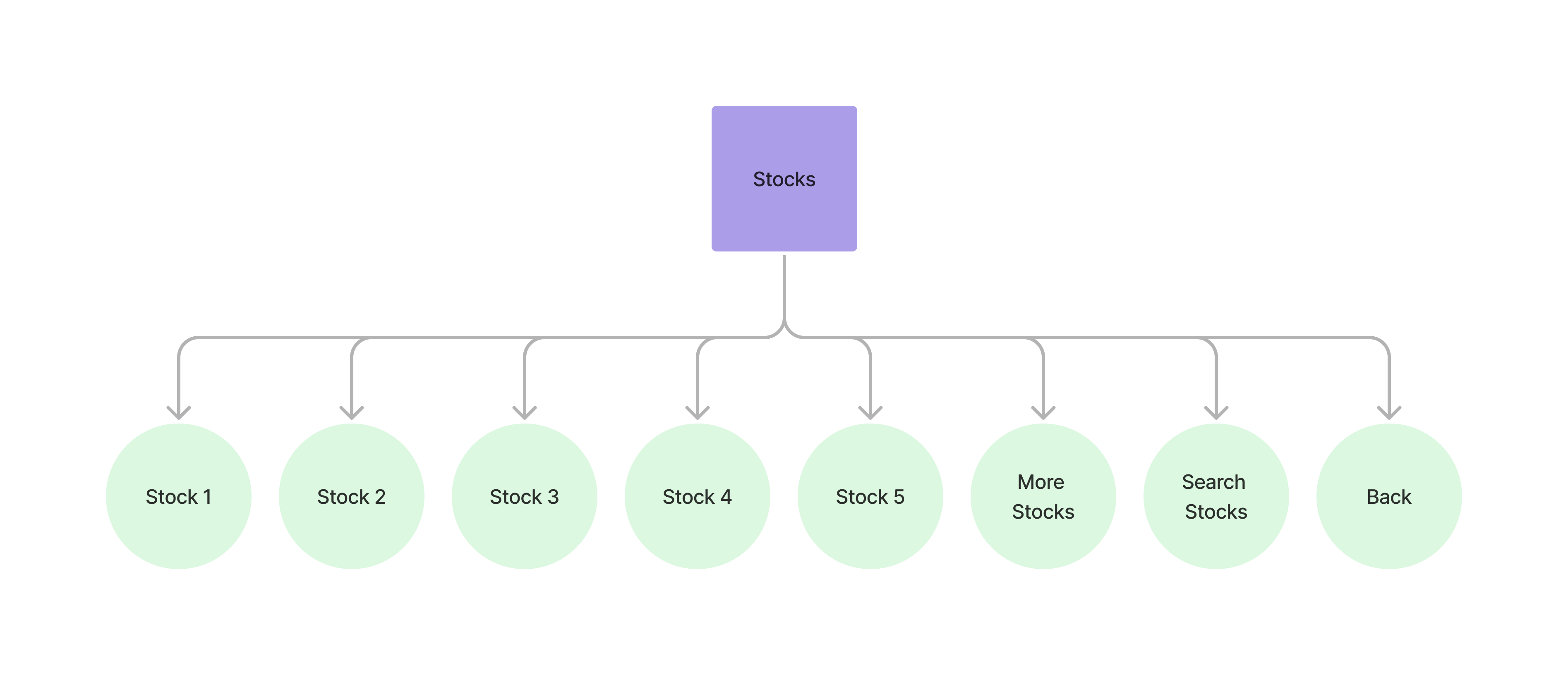
The stocks menu view contains the available stocks that can be purchased.
Accessing the stocks view
Section titled “Accessing the stocks view”Example Response
{ "message": "USSD request processed successfully", "data": { "sessionId": "ussd_5310deea137a9cd999b02ae68a7bbbec", "currentState": "STOCKS", "menu": { "state": "STOCKS", "text": "Select Stock:", "options": [ { "key": "1", "label": "AAPL", "nextState": "SELECT_STOCK", "data": { "stockId": "cmhkp4jkw0005zxfok9m0kiwg", "symbol": "AAPL", "name": "Apple Inc." } }, ... { "key": "7", "label": "Next" }, { "key": "8", "label": "Search", "nextState": "SEARCH_STOCK" }, { "key": "0", "label": "Home", "nextState": "HOME" } ], "isEndState": false }, "ussdText": "Select Stock:\n\n1. AAPL\n2. AMZN\n3. GOOGL\n4. JPM\n5. META\n7. Next\n8. Search\n0. Home", "expiresAt": "2025-11-06T14:58:33.942Z" }}Select Stock: 1. AAPL 2. AMZN 3. GOOGL 4. JPM 5. META 7. Next 8. Search 0. Home
Viewing individual stock
Section titled “Viewing individual stock”Paging stocks view
Section titled “Paging stocks view” curl --request POST \ --url https://api.staging.pipevest.com/v1/ussd/process \ --header 'Content-Type: application/json' \ --header 'Authorization: Bearer <access-token>' \ --header 'x-client-id: <client-id>' \ --data '{"sessionId": "<session-id>", "choice": "7"}'Searching for a stock
Section titled “Searching for a stock”Returns a view that allows users to input a stock symbol.
curl --request POST \ --url https://api.staging.pipevest.com/v1/ussd/process \ --header 'Content-Type: application/json' \ --header 'Authorization: Bearer <access-token>' \ --header 'x-client-id: <client-id>' \ --data '{"sessionId": "<session-id>", "choice": "8"}'Example Response
{ "message": "USSD request processed successfully", "data": { "sessionId": "ussd_5310deea137a9cd999b02ae68a7bbbec", "currentState": "SEARCH_STOCK", "menu": { "state": "SEARCH_STOCK", "text": "Enter stock symbol or name:\n(e.g., AAPL or Apple)", "options": [ { "key": "0", "label": "Cancel", "nextState": "STOCKS" } ], "isEndState": false }, "ussdText": "Enter stock symbol or name:\n(e.g., AAPL or Apple)\n\n0. Cancel", "expiresAt": "2025-11-06T14:58:33.942Z" }}Enter stock symbol or name: (e.g., AAPL or Apple) 0. Cancel
Processing stock search
Section titled “Processing stock search”Pass the stock symbol or name to the choice parameter.
curl --request POST \ --url https://api.staging.pipevest.com/v1/ussd/process \ --header 'Content-Type: application/json' \ --header 'Authorization: Bearer <access-token>' \ --header 'x-client-id: <client-id>' \ --data '{"sessionId": "<session-id>", "choice": "Tesla"}'Example Response
{ "message": "USSD request processed successfully", "data": { "sessionId": "ussd_5310deea137a9cd999b02ae68a7bbbec", "currentState": "STOCKS", "menu": { "state": "STOCKS", "text": "Select Stock:", "options": [ { "key": "1", "label": "TSLA", "nextState": "SELECT_STOCK", "data": { "stockId": "cmhkp4km20009zxfoyv85kkij", "symbol": "TSLA", "name": "Tesla Inc." } }, { "key": "8", "label": "Search", "nextState": "SEARCH_STOCK" }, { "key": "0", "label": "Home", "nextState": "HOME" } ], "isEndState": false }, "ussdText": "Select Stock:\n\n1. TSLA\n8. Search\n0. Home", "expiresAt": "2025-11-06T14:58:33.942Z" }}Select Stock: 1. TSLA 8. Search 0. Home
Stocks View Example
Section titled “Stocks View Example”USSD Stocks View
Check out an example of the ussd stock view