

Individual Asset Menu View
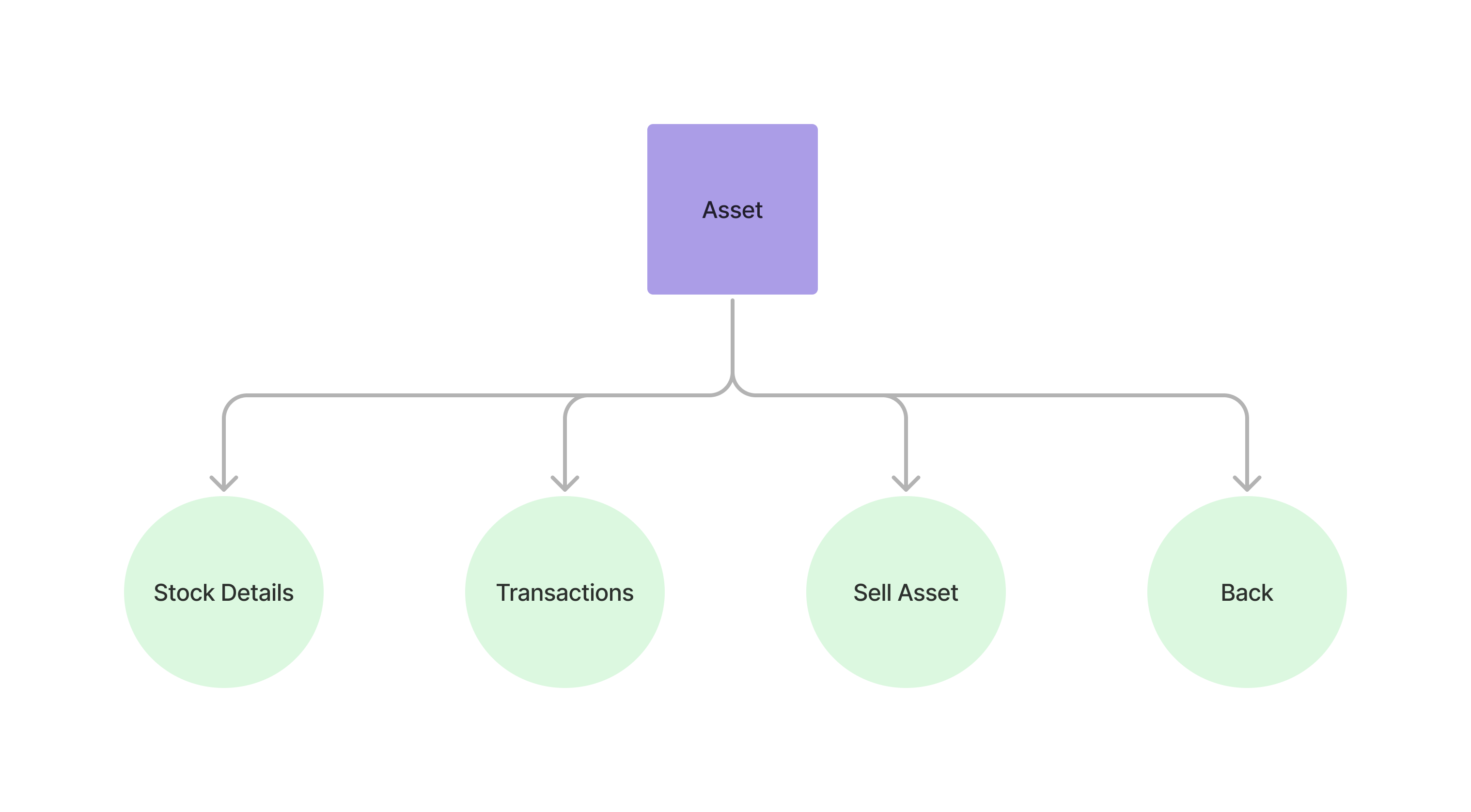
The individual asset menu view allows users to view general asset performance, more detailed stock information and transaction history.
Accessing the Assets View
Section titled “Accessing the Assets View” curl --request POST \ --url https://api.staging.pipevest.com/v1/ussd/process \ --header 'Content-Type: application/json' \ --header 'Authorization: Bearer <access-token>' \ --header 'x-client-id: <client-id>' \ --data '{"sessionId": "<session-id>", "choice": "1"}'Example Response
{ "message": "USSD request processed successfully", "data": { "sessionId": "ussd_2231df057f1f8f5269f0a268249ac104", "currentState": "ASSET_DETAIL", "menu": { "state": "ASSET_DETAIL", "text": "Apple Inc. (AAPL)\nQty 0.0966 @ ZK6024.84\nValue: ZK592.45\nCost: ZK582.00\nP/L: +ZK10.45 (+1.80%)", "options": [ { "key": "1", "label": "Buy", "nextState": "BUY_STOCK" }, { "key": "2", "label": "Sell", "nextState": "SELL_STOCK" }, { "key": "3", "label": "Info", "nextState": "MORE_STOCK_DETAIL" }, { "key": "4", "label": "Trades", "nextState": "STOCK_TRANSACTIONS" }, { "key": "0", "label": "Back", "nextState": "VIEW_ASSETS" } ], "isEndState": false }, "ussdText": "Apple Inc. (AAPL)\nQty 0.0966 @ ZK6024.84\nValue: ZK592.45\nCost: ZK582.00\nP/L: +ZK10.45 (+1.80%)\n\n1. Buy\n2. Sell\n3. Info\n4. Trades\n0. Back", "expiresAt": "2025-11-10T14:56:05.356Z" }}Apple Inc. (AAPL) Qty 0.0966 @ ZK6024.84 Value: ZK592.45 Cost: ZK582.00 P/L: +ZK10.45 (+1.80%) 1. Buy 2. Sell 3. Info 4. Trades 0. Back
Qty is the holding size and @ the average price paid per share. Share counts
are rendered to four decimal places. The company name is capped at 14 characters
and truncated with .. if longer; the ticker is never abbreviated.
Viewing asset transactions
Section titled “Viewing asset transactions”Creating a sell order request
Section titled “Creating a sell order request” curl --request POST \ --url https://api.staging.pipevest.com/v1/ussd/process \ --header 'Content-Type: application/json' \ --header 'Authorization: Bearer <access-token>' \ --header 'x-client-id: <client-id>' \ --data '{"sessionId": "<session-id>", "choice": "2"}'{ "message": "USSD request processed successfully", "data": { "sessionId": "ussd_2231df057f1f8f5269f0a268249ac104", "currentState": "SELL_STOCK", "menu": { "state": "SELL_STOCK", "text": "Sell Apple Inc. (AAPL)\nOwn 0.0966 shares", "options": [ { "key": "1", "label": "10% ZK59.24", "nextState": "SELL_CONFIRMATION", "data": { "sellQuantity": 0.009660000000000002, "sellValue": 59.244780000000006 } }, { "key": "2", "label": "25% ZK148.11", "nextState": "SELL_CONFIRMATION", "data": { "sellQuantity": 0.02415, "sellValue": 148.11195 } }, { "key": "3", "label": "50% ZK296.22", "nextState": "SELL_CONFIRMATION", "data": { "sellQuantity": 0.0483, "sellValue": 296.2239 } }, { "key": "4", "label": "All ZK592.45", "nextState": "SELL_CONFIRMATION", "data": { "sellQuantity": 0.0966, "sellValue": 592.4478 } }, { "key": "5", "label": "Other amount", "nextState": "ENTER_CUSTOM_SELL_AMOUNT" }, { "key": "0", "label": "Back", "nextState": "ASSET_DETAIL" } ], "isEndState": false }, "ussdText": "Sell Apple Inc. (AAPL)\nOwn 0.0966 shares\n\n1. 10% ZK59.24\n2. 25% ZK148.11\n3. 50% ZK296.22\n4. All ZK592.45\n5. Other amount\n0. Back", "expiresAt": "2025-11-10T14:56:05.356Z" }}Sell Apple Inc. (AAPL) Own 0.0966 shares 1. 10% ZK59.24 2. 25% ZK148.11 3. 50% ZK296.22 4. All ZK592.45 5. Other amount 0. Back
Each option carries the fraction and the proceeds it raises. The exact share
count a fraction works out to is on the confirmation screen — the one the
customer commits from — and is available on every option in the data object
regardless.
Assets View Example
Section titled “Assets View Example”USSD Individual Assets View
Check out an example of the ussd individual asset view